


Description
Tactical Card Battles with Animated Characters
Overview
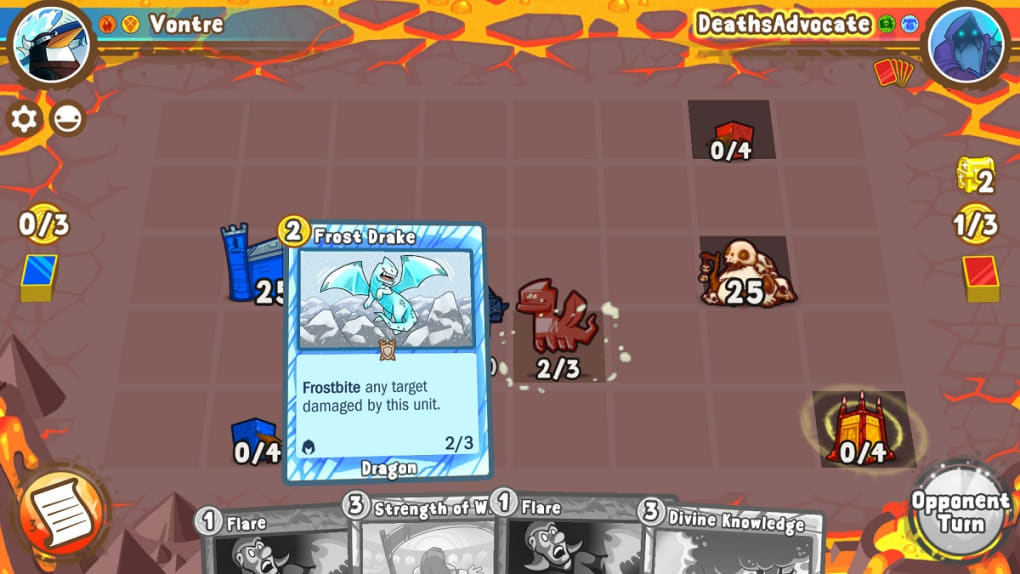
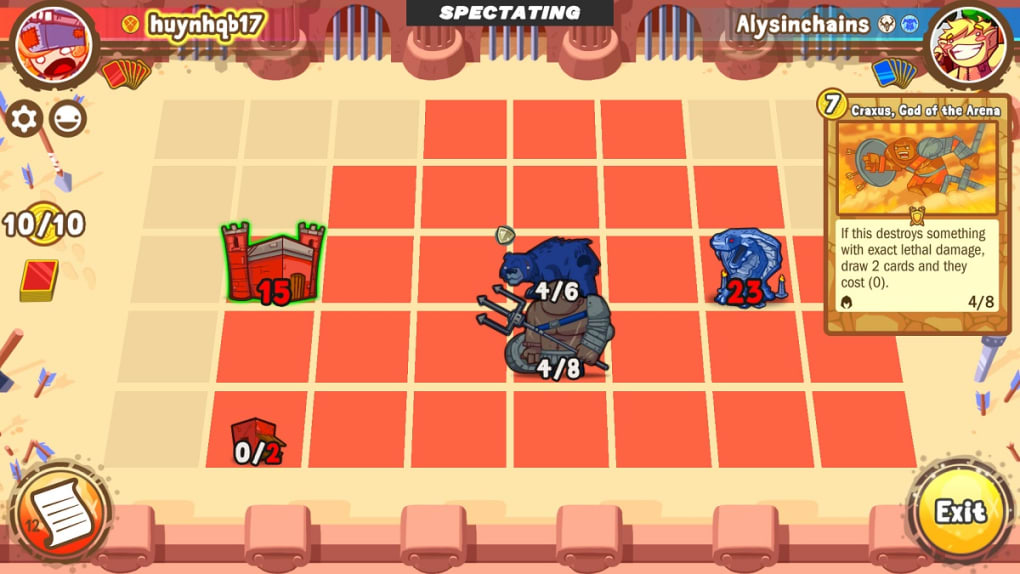
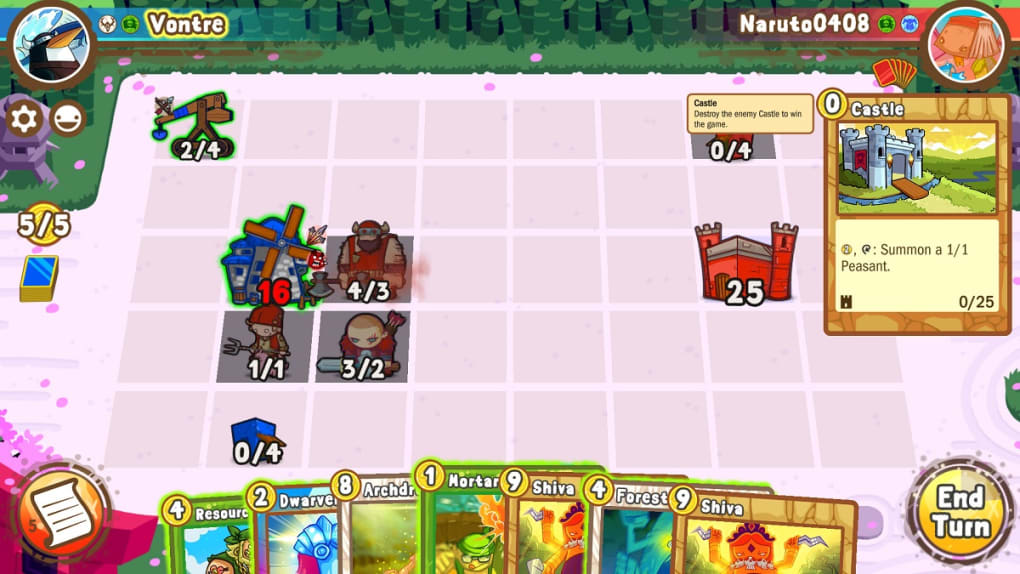
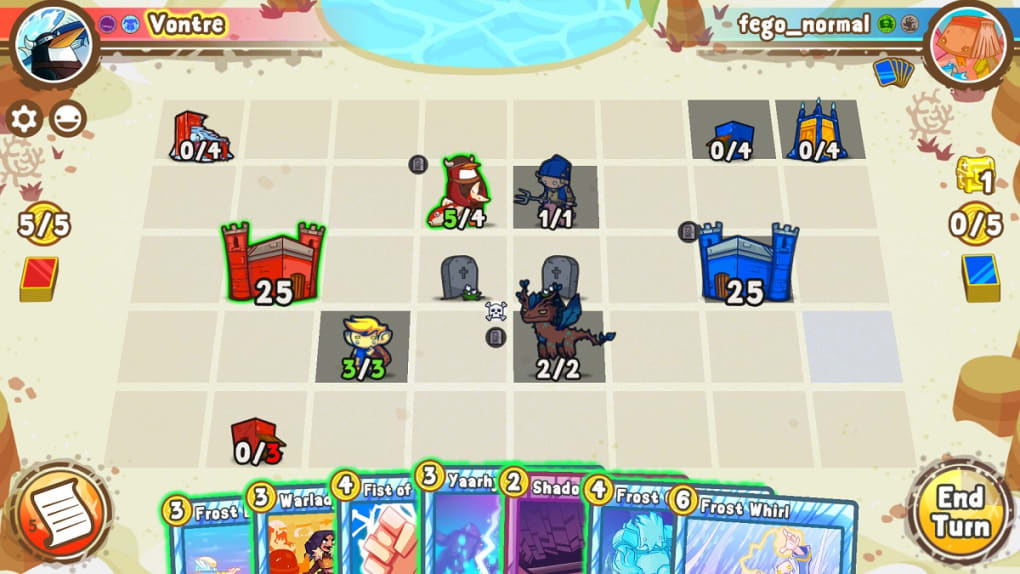
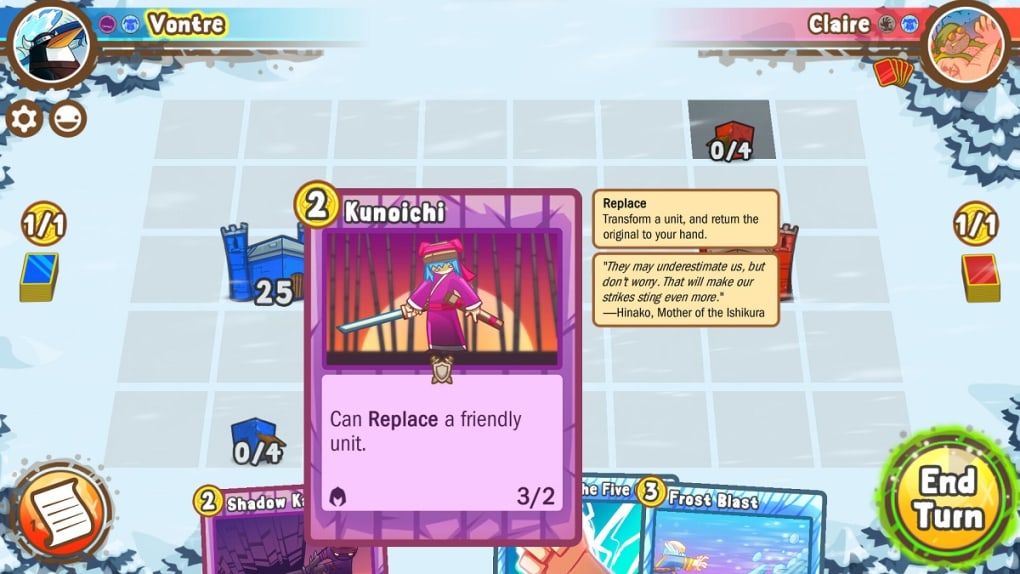
Cards and Castles 2 is a free turn-based collectible card game (CCG) that redefines the genre by merging strategic deck-building with dynamic, animated battlefield combat. Designed for both casual players and seasoned CCG enthusiasts, the game delivers a balanced experience that prioritizes accessibility without sacrificing depth. Players assemble custom decks from seven distinct factions—Vikings, Crusaders, Warlocks, Pirates, Ninjas, Druids, and the newly introduced Undead—each offering unique mechanics and playstyles. The core gameplay revolves around deploying cards that transform into animated characters on a living battlefield, bringing a visual and tactical layer rarely seen in traditional CCGs. This innovative feature enhances immersion and strategic decision-making, as players must consider positioning, timing, and character abilities in real-time combat scenarios. The game supports both single-player campaigns and multiplayer modes, including cross-platform online battles, enabling players to challenge friends or compete globally. Additional modes such as draft play and cosmetic customization further expand replayability. Its quirky charm, including whimsical elements like penguins, adds a distinctive personality to the experience. The developer, Redstone Games, did not provide additional details about their background or previous projects.
Key Features & Capabilities
- Animated Character Deployment: Cards come to life as animated units on the battlefield, transforming static card play into dynamic tactical engagements.
- Seven Factions with Unique Playstyles: Players can choose from Vikings, Crusaders, Warlocks, Pirates, Ninjas, Druids, and the Undead, each with distinct abilities and strategic strengths.
- Turn-Based Tactical Combat: Each turn requires careful planning, resource management, and positioning, blending classic CCG mechanics with battlefield strategy.
- Multiplayer & Cross-Platform Play: Engage in online battles with friends or global opponents, with support for cross-platform compatibility between Windows and Mac.
- Single-Player Campaigns & Draft Mode: Offers structured progression through story-driven missions and a draft mode for deck-building practice and experimentation.
- Customization & Cosmetics: Personalize your in-game experience with collectible skins, avatars, and visual effects that reflect individual style.
These features collectively create a rich, replayable experience. For example, in a multiplayer match, a player might deploy a Warlock card that summons a fire elemental, which then moves across the battlefield to flank an enemy unit. In draft mode, players test new deck compositions without risking progress. The animated characters enhance tactical awareness, allowing players to react to movement and positioning in real time. The game’s design encourages strategic depth while maintaining an intuitive interface, making it approachable for newcomers while offering long-term engagement for experienced players.
User Interface, Workflow & Performance
The user interface of Cards and Castles 2 is structured around a central battlefield view, with card selection panels, player stats, and action indicators clearly laid out. Navigation is straightforward, with intuitive menus for deck management, game modes, and settings. The workflow follows a logical sequence: select deck → choose game mode → initiate battle → play turns → review results. This streamlined process minimizes friction, especially during multiplayer matches. The game’s performance is optimized for desktop platforms, with the developer not specifying exact resource usage details. However, based on general software behavior patterns, the application runs efficiently on modern systems. Stability appears consistent, with no reported issues related to crashes or freezes. The animated characters are rendered smoothly, contributing to a visually engaging experience without overwhelming system resources. CPU and RAM behavior were not detailed in the release notes. The game supports both mouse and keyboard input, ensuring accessibility across different user preferences. Overall, the workflow supports both casual play and competitive strategy, with minimal learning overhead for new users.
Compatibility & System Requirements
Cards and Castles 2 is available for Windows and Mac operating systems, supporting both platforms with a unified experience. The software version is 2.1.0, with a file size of 350 MB, indicating a lightweight installation suitable for most desktop systems. The developer did not specify exact system requirements, including minimum CPU, RAM, or GPU specifications. Compatibility information was partially provided, with no mention of older OS versions or specific hardware dependencies. Installation is straightforward, and the game runs as a standalone desktop application. No cloud dependencies or persistent online connections are required for basic gameplay, though multiplayer functionality necessitates an active internet connection. For users with limited storage, the 350 MB footprint is favorable. The absence of detailed technical specifications means users should rely on general system compatibility checks when installing.
Pros and Cons
Pros
- Free to download and play with no pay-to-win mechanics
- Animated battlefield characters enhance tactical depth and immersion
- Seven distinct factions offer diverse playstyles and strategic variety
- Supports cross-platform multiplayer between Windows and Mac
- Includes multiple game modes: single-player, draft, and online battles
- Lightweight installation at 350 MB with no heavy system demands
Cons
- Learning curve may be steep for complete beginners
- No detailed system requirements provided for installation
- Developer background and company history not disclosed
- Performance under low-end hardware not verified
- Visual customization is limited to cosmetics, with no deeper mechanical upgrades
FAQ Section
Is Cards and Castles 2 available on Windows and Mac?
Yes, the game is compatible with both Windows and Mac operating systems, offering a unified experience across platforms.
Is the game free to download and play?
Yes, Cards and Castles 2 is completely free to download and play, with no in-app purchases required to access core gameplay features.
Does the game support online multiplayer?
Yes, the game includes a robust multiplayer mode that allows players to challenge friends or opponents worldwide through cross-platform online battles.
Are there any system requirements listed?
The developer did not specify exact system requirements. General compatibility with modern desktop systems is expected, but no detailed information on CPU, RAM, or GPU is provided.
Can I play the game offline?
Single-player modes and deck management can be accessed offline. However, multiplayer and online features require an active internet connection.
Final Thoughts + CTA
Cards and Castles 2 stands out in the crowded CCG space by blending traditional strategy with animated battlefield dynamics, offering a fresh and engaging experience. Its free model, diverse factions, and cross-platform multiplayer make it accessible to a broad audience. While the learning curve may challenge newcomers, the game’s intuitive design and multiple play modes help ease the transition. The inclusion of draft play and cosmetic customization adds long-term value. For fans of tactical card games seeking depth, variety, and visual flair, this title delivers on multiple fronts. With its lightweight footprint and strong community features, it’s a compelling choice for both casual and competitive players. Download Cards and Castles 2 now.
Guides & Tutorials for Cards and Castles 2
How to install Cards and Castles 2
- Click the Preview / Download button above.
- Once redirected, accept the terms and click Install.
- Wait for the Cards and Castles 2 download to finish on your device.
How to use Cards and Castles 2
This software is primarily used for its core features described above. Open the app after installation to explore its capabilities.
User Reviews for Cards and Castles 2 0
No reviews found





